How Zero Trust Security Works and Why Modern IT Teams Need It

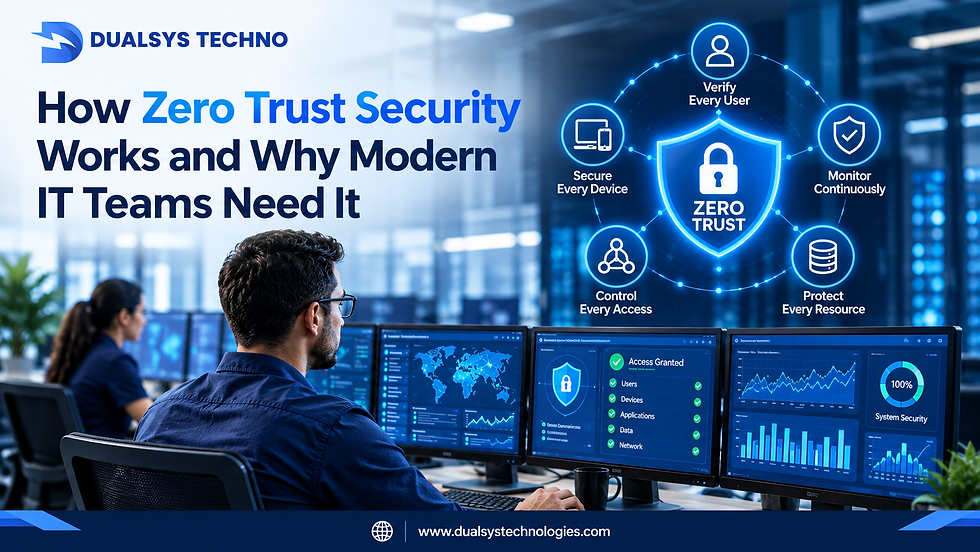
Cybersecurity has changed significantly in recent years. Businesses no longer operate from a single office with employees accessing applications from one internal network.
Today, employees work remotely, applications run in the cloud, customers connect through online platforms, and businesses use devices across multiple locations.
This creates new security challenges.
Traditional security models often assume that users and devices inside a company's network can be trusted. Modern cybersecurity takes a different approach.
This is where Zero Trust Security comes in.
Zero Trust follows a simple principle:
Never trust automatically. Always verify.
For businesses working with an IT Services Company in Mumbai, Zero Trust can provide a structured approach to protecting applications, data, devices, and users. Organizations looking for IT Services in Mumbai can also use Zero Trust principles to strengthen their cybersecurity strategy.
What Is Zero Trust Security?
Zero Trust is a cybersecurity approach based on the idea that no user, device, application, or network connection should automatically be trusted.
Instead of assuming that someone is safe because they are connected to the company network, Zero Trust requires verification before access is granted.
A simple way to understand it is:
Traditional approach:“Are you inside the company network? You can access the system.”
Zero Trust approach:“Who are you? What device are you using? What are you trying to access? Are you authorized to access it? Is the activity normal?”
This approach is particularly useful for modern organizations with remote employees, cloud applications, mobile devices, and distributed IT environments.
Why Traditional Network Security Is No Longer Enough
Traditional cybersecurity often relied heavily on a security perimeter.
Firewalls protected the network boundary, while users inside the network were given greater levels of trust.
But modern IT environments are different.
Employees may access business applications from:
Home networks
Public Wi-Fi
Mobile devices
Personal computers
Cloud platforms
Multiple office locations
At the same time, organizations may use SaaS applications, public cloud infrastructure, APIs, third-party services, and connected devices.
The traditional network perimeter has become much harder to define.
Zero Trust addresses this challenge by focusing on identity, access, devices, applications, and data, rather than simply trusting a network location.
How Does Zero Trust Security Work?
Zero Trust is not one single security product.
It is a security strategy that combines multiple technologies and practices.
1. Identity Verification
The first step is determining who is requesting access.
Users may be required to provide credentials and additional verification before accessing a business application.
Identity management systems help organizations control user accounts and permissions.
For example, an employee may be allowed to access an accounting application but not the company's source-code repository.
This is an important part of identity and access management.
2. Multi-Factor Authentication
Passwords alone are no longer enough for many business environments.
Multi-factor authentication, or MFA, adds another layer of verification.
A user may need:
A password
A mobile authentication code
A security key
Biometric verification
Another approved authentication method
If an attacker obtains a password, MFA can make unauthorized access more difficult.
An IT Services Company in Mumbai can help organizations deploy MFA according to their applications, users, and security requirements.
3. Least-Privilege Access
Zero Trust follows the principle of least privilege.
This means users should receive only the access they need to perform their jobs.
For example, an employee working in marketing may need access to marketing platforms but does not necessarily need access to financial databases.
Limiting unnecessary permissions reduces the potential damage if an account is compromised.
For companies investing in IT Services in Mumbai, reviewing user permissions can be an important part of strengthening access security.
4. Device Security
Zero Trust does not only ask whether the user is authorized.
It can also consider whether the device is safe.
Security teams may check whether a device:
Has current security updates
Uses approved security software
Meets company policies
Has encryption enabled
Is properly managed
Shows suspicious behavior
For example, an employee may have valid credentials but attempt to access company data from an unmanaged device.
The organization can require additional verification or restrict access.
5. Continuous Monitoring
Zero Trust is not based on verifying a user only once.
Access and activity can be monitored continuously.
Security systems can examine factors such as:
Login location
Device information
Access patterns
Application activity
Unusual behavior
Failed login attempts
Data access
Suppose an employee normally accesses a small number of documents but suddenly downloads thousands of files.
That unusual activity could trigger a security investigation.
Continuous monitoring helps organizations respond to suspicious behavior more quickly.
6. Micro-Segmentation
Micro-segmentation divides networks and resources into smaller security zones.
Instead of allowing a user or compromised device to move freely across the network, access can be limited to specific systems.
Imagine a company has separate environments for:
Finance
Human resources
Customer applications
Development
Production
Micro-segmentation can help prevent an attacker who compromises one environment from easily reaching the others.
This creates additional layers of protection.
7. Application and Data Protection
Zero Trust also focuses on protecting applications and sensitive data.
Businesses can control:
Who can access specific applications
Which data users can view
What actions they can perform
Which devices can connect
When access should be allowed
This is especially important for businesses handling customer information, financial records, intellectual property, and other sensitive data.
A Simple Real-World Example
Consider an employee working remotely.
The employee wants to access the company's customer management system.
Under a basic network-based security model, the employee might connect through a company VPN and receive access.
Under a Zero Trust approach, several checks can take place:
The employee enters their credentials.
MFA confirms their identity.
The system checks whether the device meets security requirements.
The system evaluates the requested application.
The employee receives only the permissions required for their role.
The session can be monitored for unusual activity.
If the same account later attempts to access the system from an unusual location or a suspicious device, additional verification can be requested.
This illustrates how Zero Trust creates multiple security layers instead of relying on one network boundary.
Benefits of Zero Trust for Modern IT Teams
Better Protection Against Account Compromise
Strong identity verification and MFA can reduce the risk associated with stolen passwords.
Reduced Attack Surface
Least-privilege access limits the number of systems each user can reach.
Improved Visibility
Continuous monitoring gives security teams better insight into users, devices, applications, and data.
Stronger Remote Work Security
Zero Trust is well suited to distributed work environments because security decisions are based on identity and context rather than physical location.
Better Cloud Security
Cloud applications and infrastructure can be integrated into identity-based access policies.
Faster Incident Response
Detailed activity information can help security teams identify unusual behavior and investigate potential incidents.
How to Implement Zero Trust: Step-by-Step
Businesses do not need to transform their entire security environment overnight.
A gradual implementation can be more practical.
Step 1: Identify Critical Assets
Start by identifying sensitive applications, systems, and data.
Ask:
What information would cause serious damage if exposed?
Which applications are business-critical?
Where is sensitive data stored?
Step 2: Review Users and Permissions
Create an inventory of users and their existing access rights.
Remove unnecessary permissions and outdated accounts.
Step 3: Implement MFA
Start with privileged accounts and sensitive applications.
Gradually expand MFA across the organization.
Step 4: Strengthen Device Management
Make sure business devices are updated, encrypted, monitored, and protected with appropriate security controls.
Step 5: Apply Least Privilege
Give employees only the permissions they need.
Review access regularly as job responsibilities change.
Step 6: Improve Monitoring
Monitor authentication events, application access, device activity, and unusual behavior.
Step 7: Segment Critical Systems
Separate sensitive environments so that a security incident in one area does not automatically expose everything else.
Step 8: Review and Improve
Zero Trust is an ongoing process.
Regularly review policies, access permissions, security alerts, and business requirements.
An experienced IT Services Company in Mumbai can help organizations assess their current security architecture and develop a practical Zero Trust implementation roadmap.
Zero Trust Security Checklist
Before implementing Zero Trust, IT teams should ask:
Do we know who has access to critical systems?
Is MFA enabled for important accounts?
Are administrator accounts protected?
Are user permissions reviewed regularly?
Are company devices properly managed?
Can we monitor unusual login behavior?
Is sensitive data separated from general business data?
Are critical applications properly protected?
Do we have an incident response plan?
Can our existing security tools integrate with Zero Trust policies?
This checklist can help organizations identify security gaps before beginning a larger transformation.
Common Zero Trust Mistakes to Avoid
Zero Trust implementation can become complicated if organizations try to change everything at once.
Common mistakes include:
Treating Zero Trust as a single software product
Giving users excessive permissions
Ignoring device security
Implementing MFA without reviewing other access controls
Failing to monitor user activity
Creating complicated policies that employees cannot follow
Automating security decisions without appropriate oversight
The goal should be to create strong security without making legitimate business activity unnecessarily difficult.
The Role of IT Service Providers in Zero Trust
Implementing Zero Trust can require changes across identity management, endpoint security, network architecture, cloud security, monitoring, and access policies.
This is where an experienced technology partner can be valuable.
An IT Services Company in Mumbai can help businesses assess their current infrastructure, identify security gaps, implement access controls, and monitor the environment.
For organizations looking for IT Services in Mumbai, it is useful to evaluate providers based on their ability to support both cybersecurity technology and long-term security processes.
Dualsys Techno can support businesses exploring modern IT security strategies, including identity-focused access controls, infrastructure management, and cybersecurity improvements.
The Future of Zero Trust Security
As businesses continue moving toward cloud computing, remote work, SaaS applications, mobile devices, and distributed infrastructure, traditional network boundaries will continue to become less important.
Security will increasingly focus on:
Identity
Devices
Applications
Data
User behavior
Continuous verification
Risk-based access
Zero Trust provides a framework for managing these challenges.
It does not mean that every user should be blocked or constantly challenged with unnecessary security checks. Instead, it means access should be based on verified identity, device health, permissions, context, and risk.
Final Thoughts
Zero Trust Security represents a major shift in how organizations think about cybersecurity.
Instead of assuming that users or devices are trustworthy because they are inside a network, Zero Trust requires organizations to verify access and continuously evaluate risk.
MFA, least-privilege access, device security, micro-segmentation, identity management, and continuous monitoring all work together to create a stronger security architecture.
For modern businesses, the goal should not be to implement every Zero Trust technology immediately. Start by protecting critical systems, strengthening identity security, reviewing permissions, and improving visibility.
With the right strategy and implementation support, Zero Trust can help organizations create a security environment that is better suited to today's cloud-based, remote, and highly connected IT landscape.


Comments